Development preview · v1.0

SpatialTrace
Make anything traceable
Turn an image into a measured guide.
Apple Vision Pro · Release details will be confirmed before launch
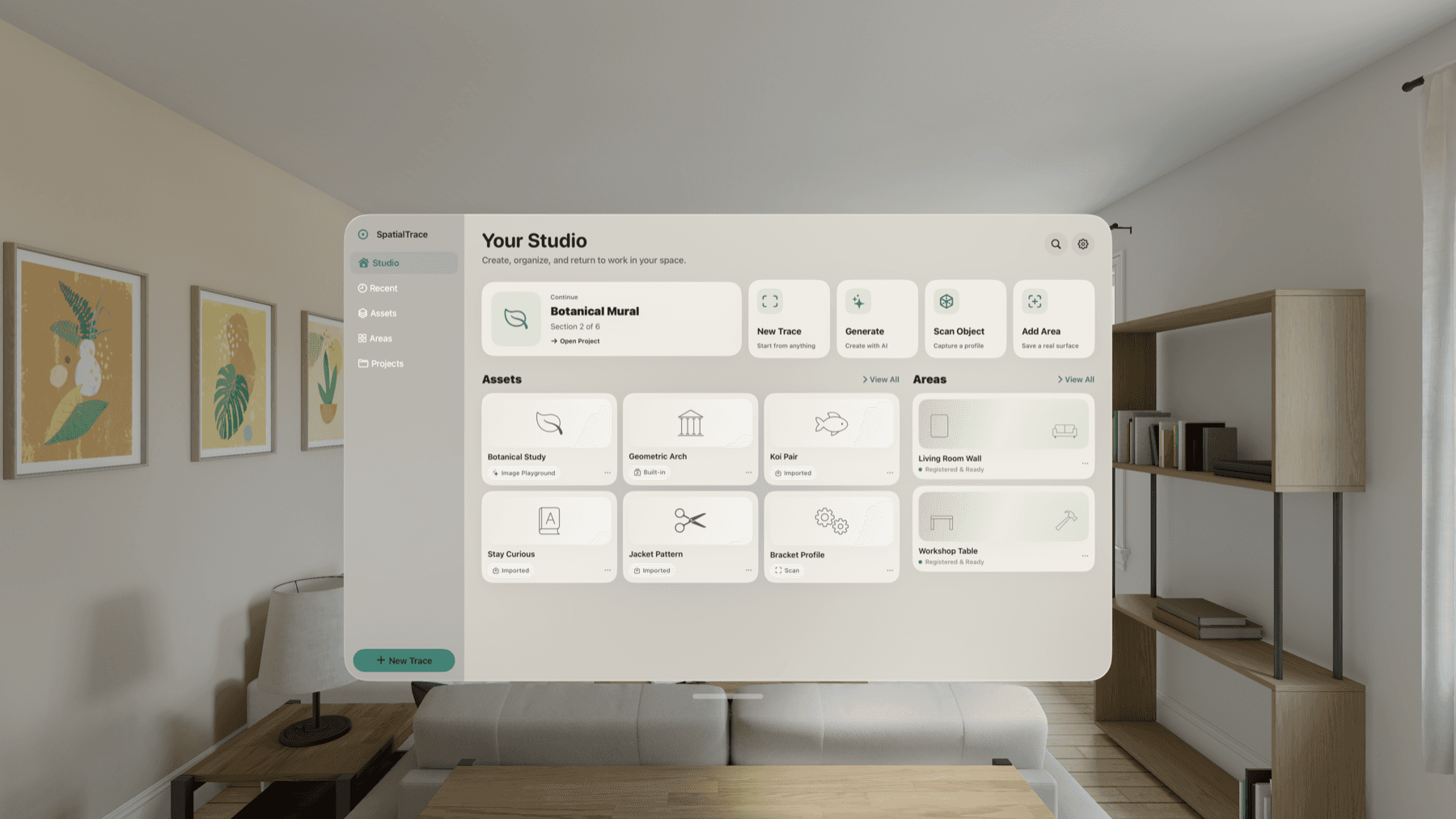
SpatialTrace development build shown. Interface and release features may change before launch.
SpatialTrace is a native Apple Vision Pro workspace for isolating one or more subjects from an image, refining them into clear outlines, setting an intended physical size, and placing the guide on a real surface. The development build now includes ARKit plane placement and a saved WorldAnchor lock-and-recovery path; true-scale accuracy, drift, occlusion, and relaunch reliability remain pending physical-headset validation.
Choose the subjects
Isolate one foreground subject, combine several detected subjects, or use full-image edges when subject extraction is not the right fit.
Measured preparation
Set the intended width, review the derived height, and keep dimension authority visible instead of treating scale as a guess.
Calm refinement
Adjust extraction detail, line width, guide opacity, and imported-source comparison in a focused spatial Workshop.
Reusable local assets
Keep a byte-preserved copy of the chosen image and its exact selected-subject mask together on the device for later refinement.
Place, adjust, and lock
The development build detects ARKit planes, lets you position and resize the guide on a surface, and saves a WorldAnchor for recovery.
Private by design
Image and mask processing runs on the device. SpatialTrace has no account, advertising, analytics, or developer-hosted image service.
How it works
Choose a PNG, JPEG, or HEIF image from Files, or begin with a built-in trace asset.
Review the detected foreground candidates, select one or several subjects, or switch to Image Edges for the complete composition.
SpatialTrace preserves the original and exact selected mask locally, then creates a contour guide for preparation.
Choose the extraction detail, line width, opacity, and whether to compare the preserved source beneath the outline.
Enter the intended physical width and review the derived height before placement.
Enter Place, choose a detected flat surface, and adjust the guide position, size, and orientation in context.
Lock the development guide to save its WorldAnchor recovery record. Production claims for scale, drift, occlusion, and relaunch recovery will be published only after physical-headset validation.
Frequently Asked Questions
Also from Unshackled Pursuit

Dao Rising
Martial Arts Through Play

Raindrops: Living Music
Every note creates a ripple

UtterFlow
Voice, live captions, and Persona—together. No external mic needed.

Fleeting Thoughts
Private capture for the agent era.

Vellora Archive
Your living library

Worldline Arc
Spatial Story Engine

Spatialis
Create in every dimension

WaypointHub
Your spatial link launcher

Drift Orbs: Breathe & Focus
A calm focus timer for Apple Vision Pro

AirSticky
Spatial sticky notes with voice
On the Books: Job Calls
Union work, pay, and travel